Teleport Duels Skills & Loadout Changes
Skills in Teleport Duels are active combat abilities that operate alongside your weapon, dagger teleport, and shield parry on separate cooldown timers.
Accessing and Changing Your Loadout
The recorded lobby shows Skill, Inventory, and Shop buttons. In addition, captured team matches display a CHANGE SKILLS button during the pre-round countdown, allowing adjustments before combat starts.
The official description confirms that players can unlock legendary weapons, skills, and kill effects. Because exact unlock requirements and weapon statistics are not published, avoid assuming that higher rarity items automatically grant superior combat strength.
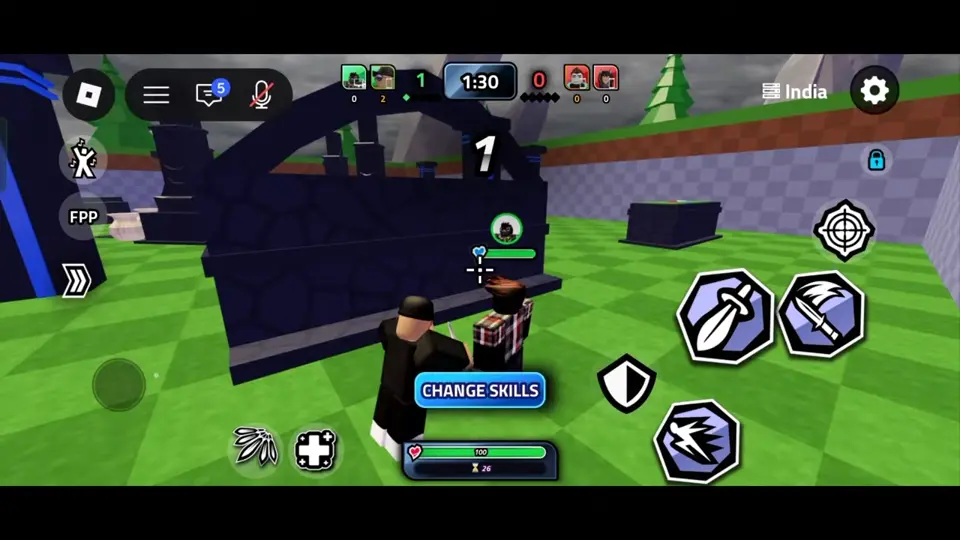
Recorded Skills: Flurry and Heal
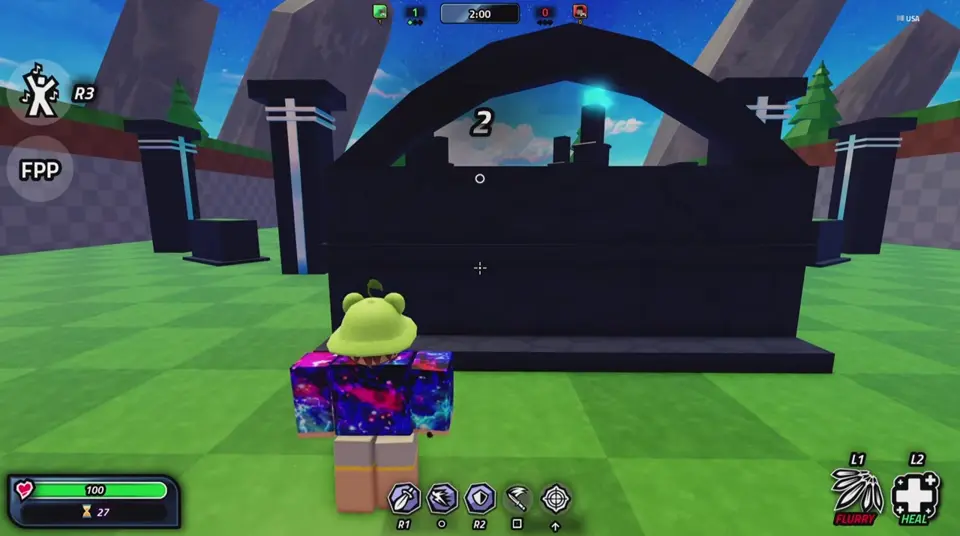
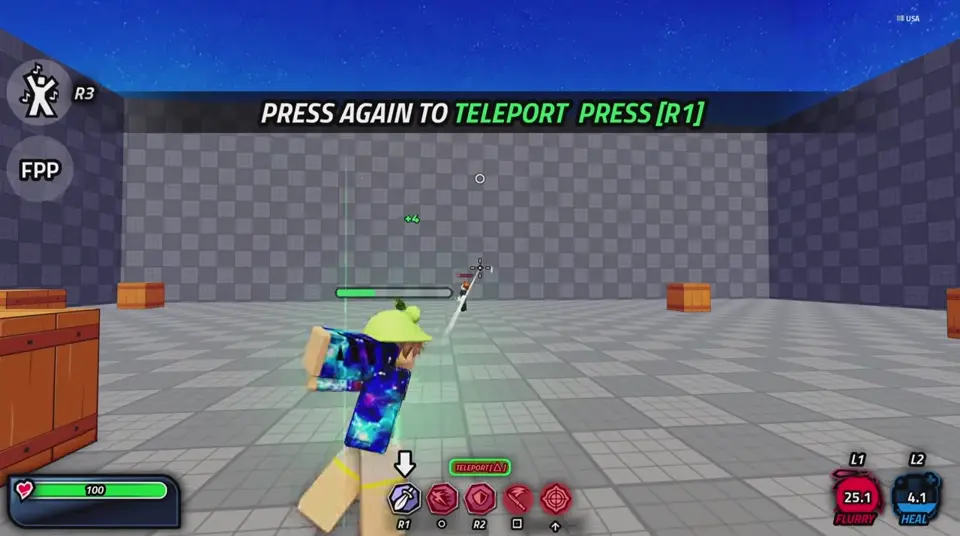
Recorded controller gameplay confirms two specific skills on the combat HUD: Flurry and Heal. On the captured controller layout, Flurry is bound to L1 and displays a fan-of-daggers icon, while Heal is bound to L2 and displays a medical cross icon, keeping both distinct from the R1 teleport and R2 shield inputs.
The captured HUD shows separate countdowns over the L1 and L2 skill icons. Exact damage numbers, healing values, and cooldown durations for Flurry and Heal are not published, so watch the numeric countdown overlay on each icon to see when that specific skill is ready again.
Testing Skills Effectively
As practical advice when trying out a new skill, change only one slot at a time between rounds or matches. Testing abilities individually makes it much easier to observe how a skill interacts with your dagger teleport and melee slash.
Pay attention to whether a skill works best as an aggressive follow-up right after warping to a thrown dagger, or as a defensive reset tool while your other icons are on countdown.